Slime Smile — Steganography Analysis
CTF writeup for Slime Smile: recovering a flag hidden in the LSB of the blue channel of a PNG image using zsteg.
Category: Steganography
Objective
Recover a hidden flag from the image file slime_smile.png. The expected flag format was Haat{}.
Step 1 — Initial Extraction and Metadata Review
After extracting the ZIP archive, slime_smile.png was identified. The first step was to inspect the image metadata using exiftool.
exiftool slime_smile.png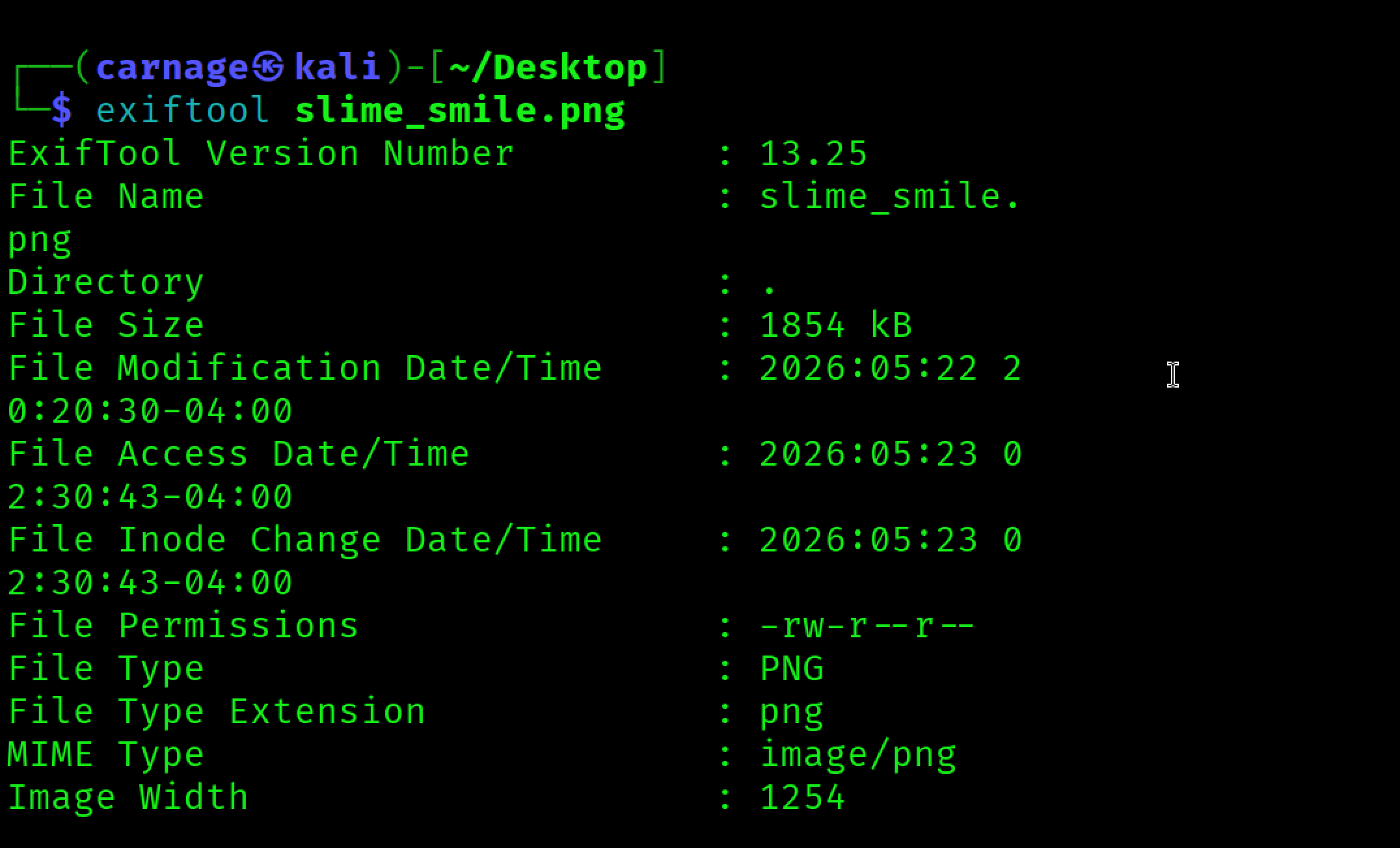
The output confirmed that the file was a valid PNG image. No obvious flag was found in the displayed metadata, which suggested that the hidden data was likely stored elsewhere, such as inside the pixel data.
Step 2 — Embedded File Check with binwalk
binwalk was used to check whether another file type, such as a ZIP archive or document, had been embedded inside the PNG.
binwalk slime_smile.png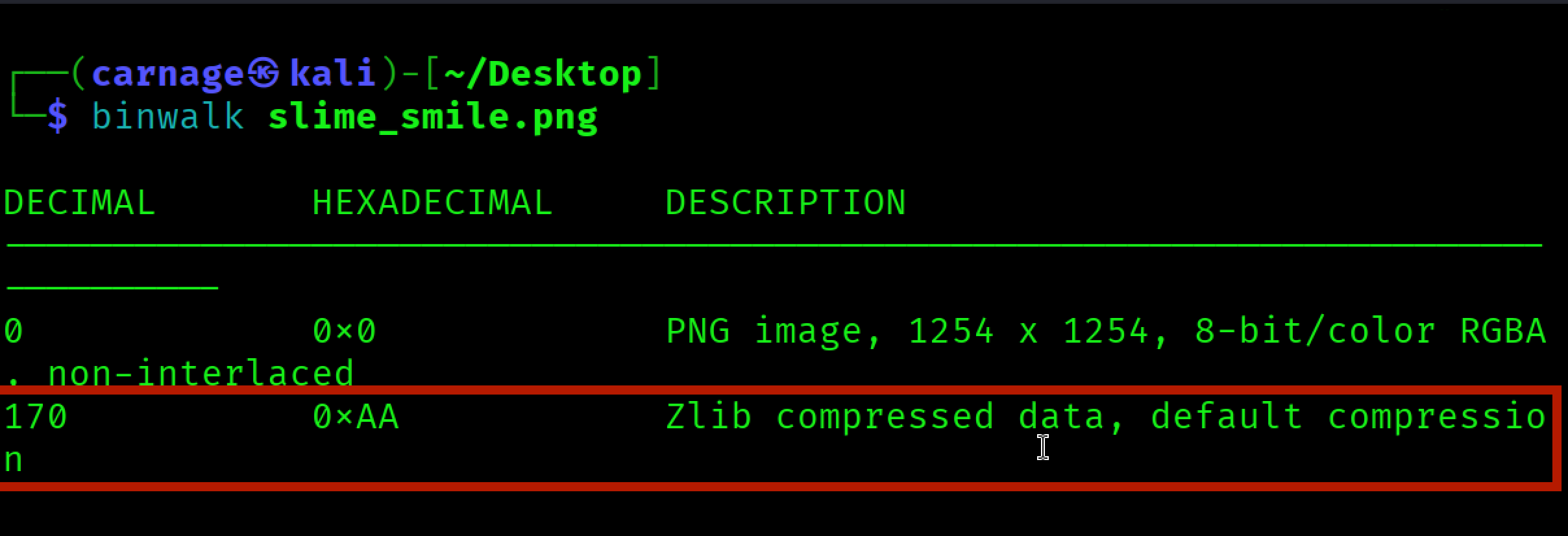
The output identified the PNG header at offset 0x0 and Zlib-compressed data at offset 0xAA. This is normal for PNG files because PNG image data is stored in compressed IDAT chunks. No separate embedded archive or hidden file was detected at this stage.
Step 3 — PNG Structure Analysis with pngcheck
The PNG structure was then examined using pngcheck. This helped verify the internal chunks and confirm that the image was properly formatted.
pngcheck -v slime_smile.png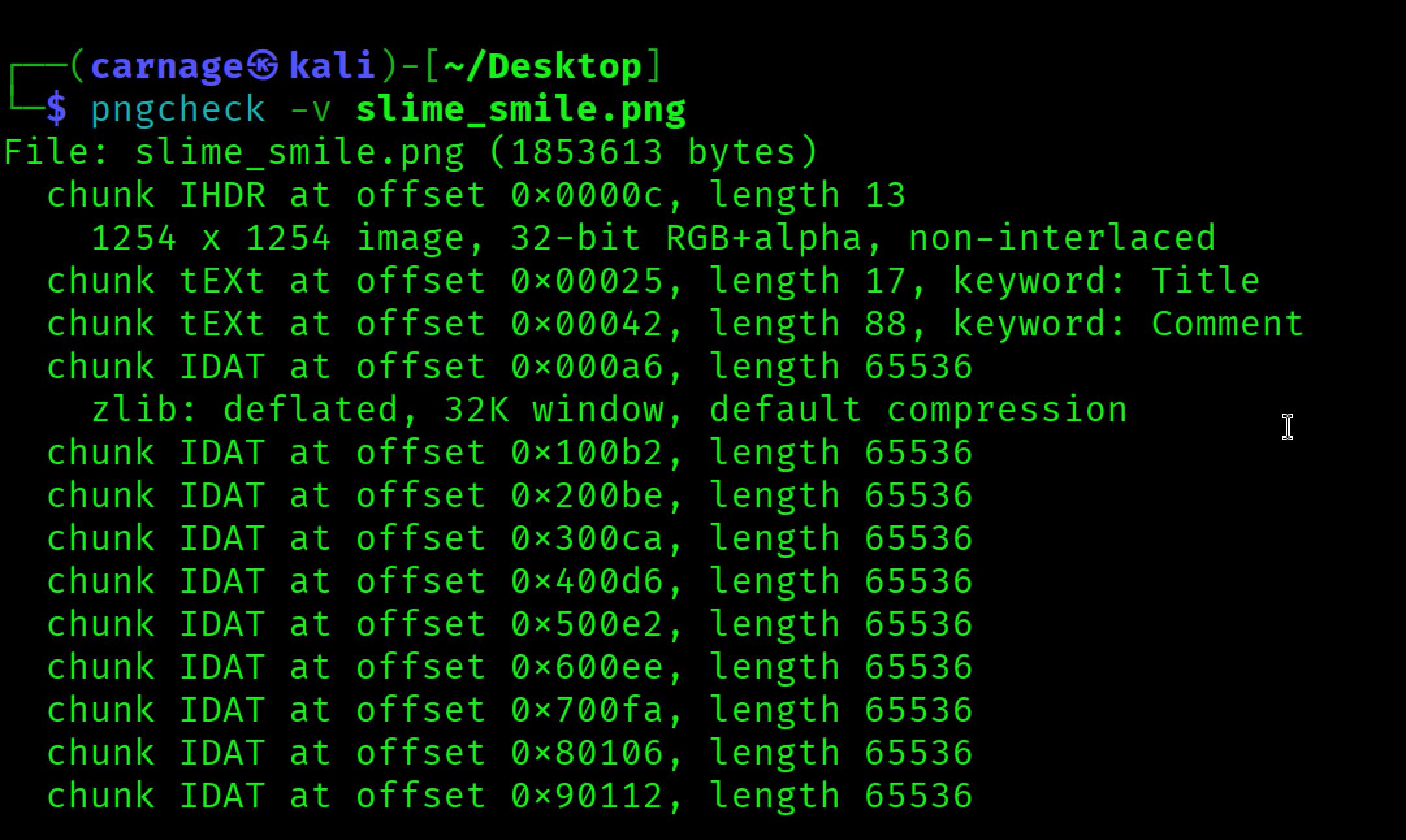
The image was reported as a 1254 × 1254, 32-bit RGB+alpha PNG. This means the image contains four channels: red, green, blue, and alpha. Since steganography challenges often hide data in the least significant bits of color channels, the RGBA format made LSB analysis a logical next step.
Step 4 — Steganographic Analysis with zsteg
zsteg was used to scan the image for hidden data in bit planes and color channels.
zsteg slime_smile.png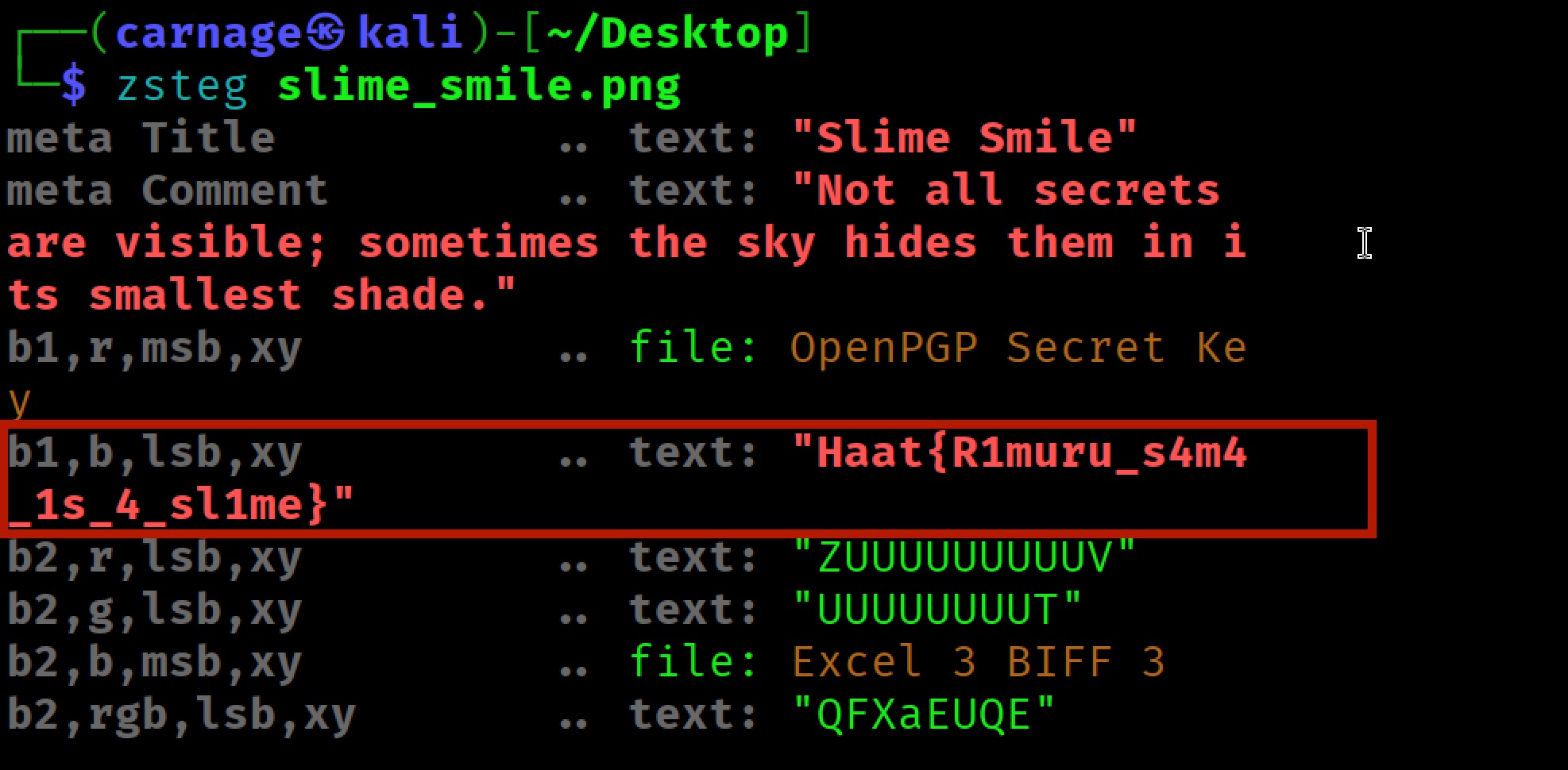
The metadata comment also provided a hint: “the sky hides them in its smallest shade.” In this context, sky points toward the blue channel, and smallest shade refers to the least significant bit.
The successful result was found in the blue channel LSB using the b1,b,lsb,xy extraction mode.
Flag
Haat{R1muru_s4m4_1s_4_sl1me}Conclusion
The flag was not stored in visible metadata or as an embedded file. Instead, it was hidden in the least significant bit of the blue color channel. By following a structured analysis process and using zsteg, the hidden flag was successfully recovered.
| Tool | Purpose |
|---|---|
exiftool | Metadata inspection |
binwalk | Embedded file detection |
pngcheck | PNG chunk structure verification |
zsteg | LSB steganography analysis across channels |